RolloutIQ controls access in layers. A global role sets someone's baseline in your workspace, and per-project assignments control exactly which stores and projects they can see.
Owner: full control, including billing.
Admin: full operations except billing.
Member: standard internal user.
Guest: a stripped-down baseline for outside collaborators.
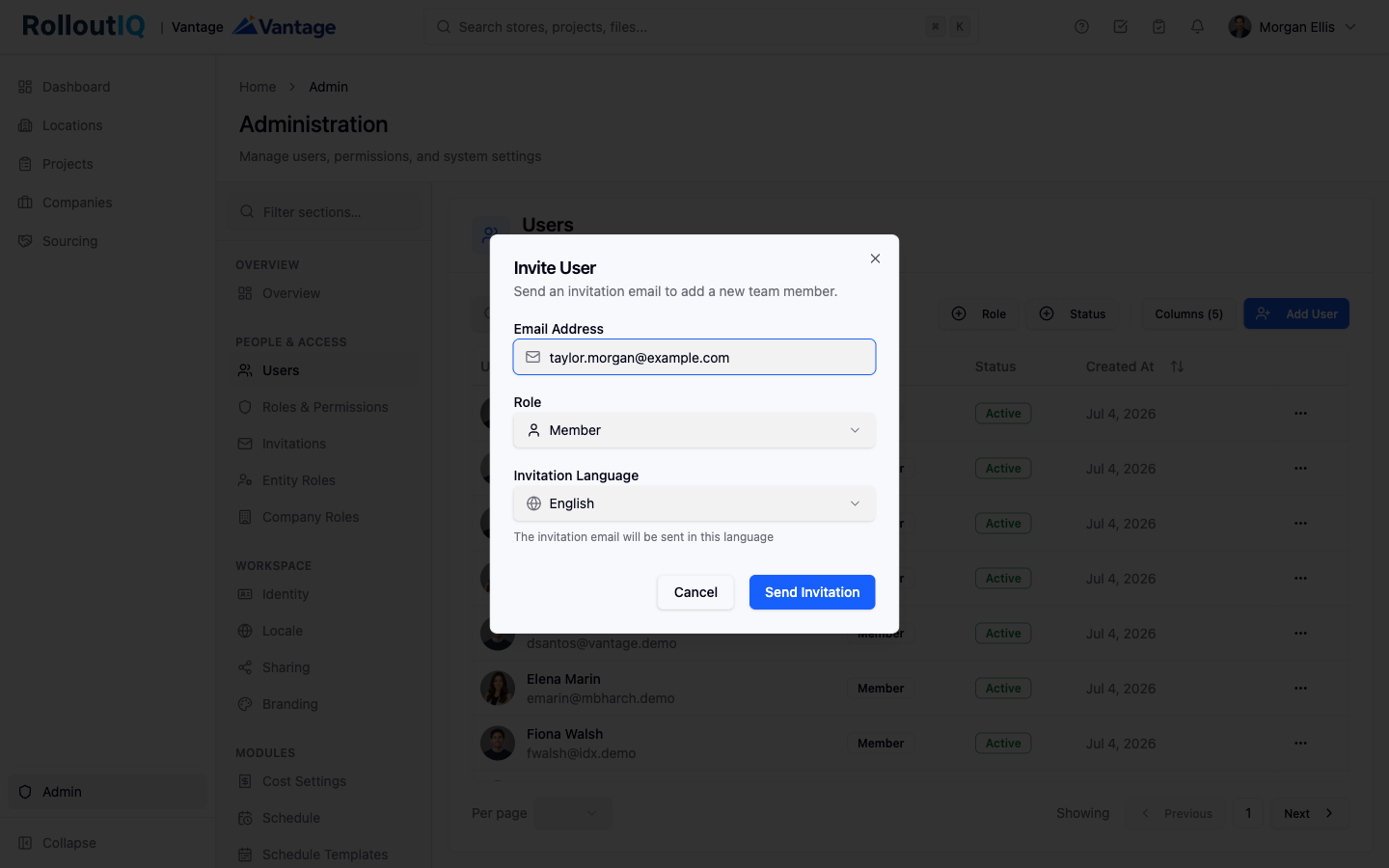
Open Admin from the user menu, then choose People & Access > Users.
Click Add User.
In the Invite User dialog, enter the person's email, pick a global role, and choose the language for the invitation email.
Click Send invitation. They receive a single-use link valid for seven days to set up their profile and password, or to sign in through SSO if your tenant has it configured.
A global role alone does not put someone on a project. You grant access on the project itself.
Open the project. Its Project Team and Companies are shown on the Overview.
Add internal or external people to the Project Team, each with the role they hold on this project.
Use Add Company to bring in a vendor firm and assign it a role. Everyone at that firm inherits the access automatically.
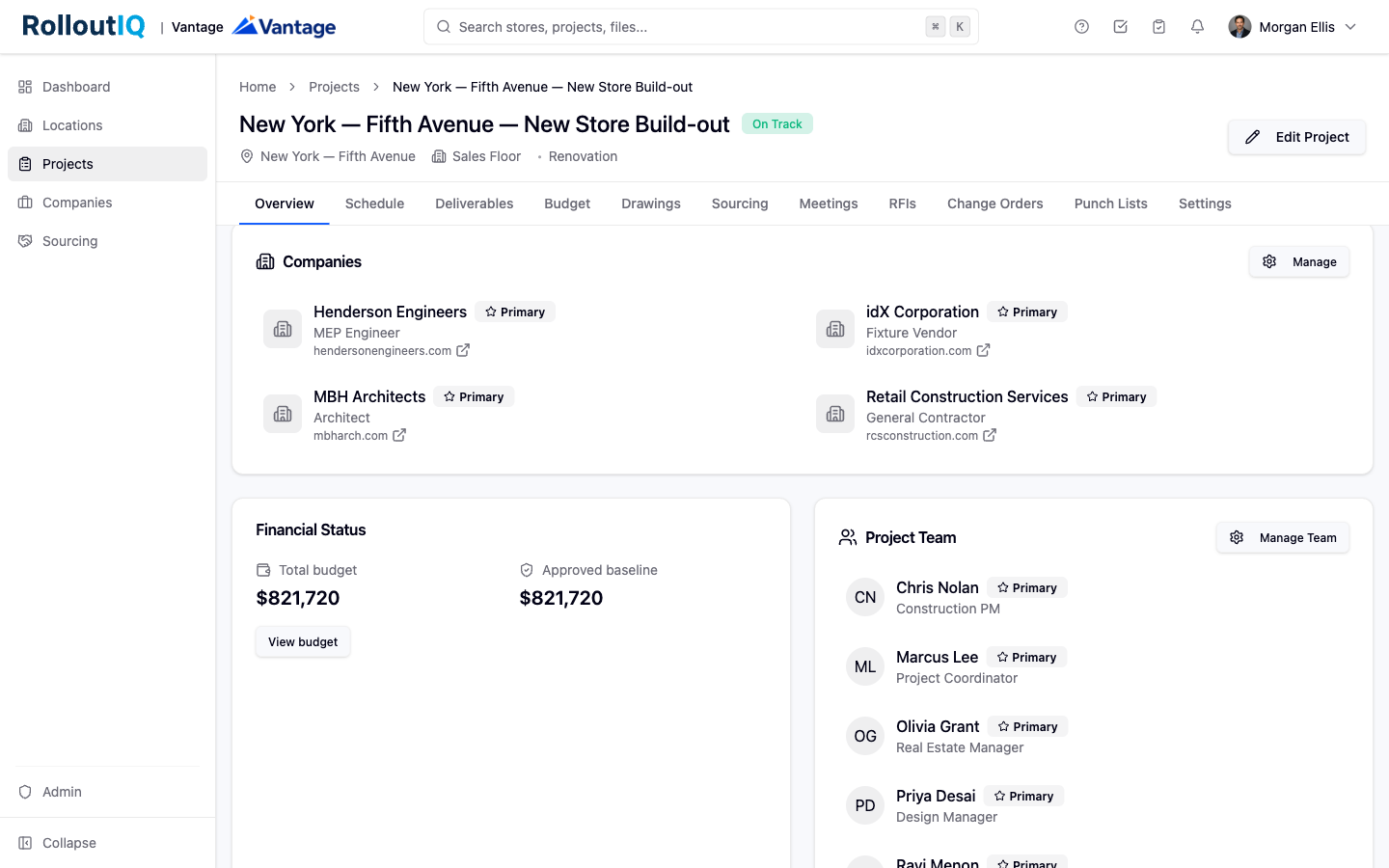
Outside firms such as general contractors and architects come in as companies. Assign the company a role once, and its whole team picks up the right access without you adding each person by hand. Guests only ever see the stores and projects their company has been assigned to.
