The audit log is a running record of who changed what and when across your workspace. Every time a user creates, updates, deletes, or restores a record, RolloutIQ writes a row capturing the change. It gives your governance, compliance, and dispute-resolution work a single, searchable source of truth. You reach it under Admin, Security and Audit.
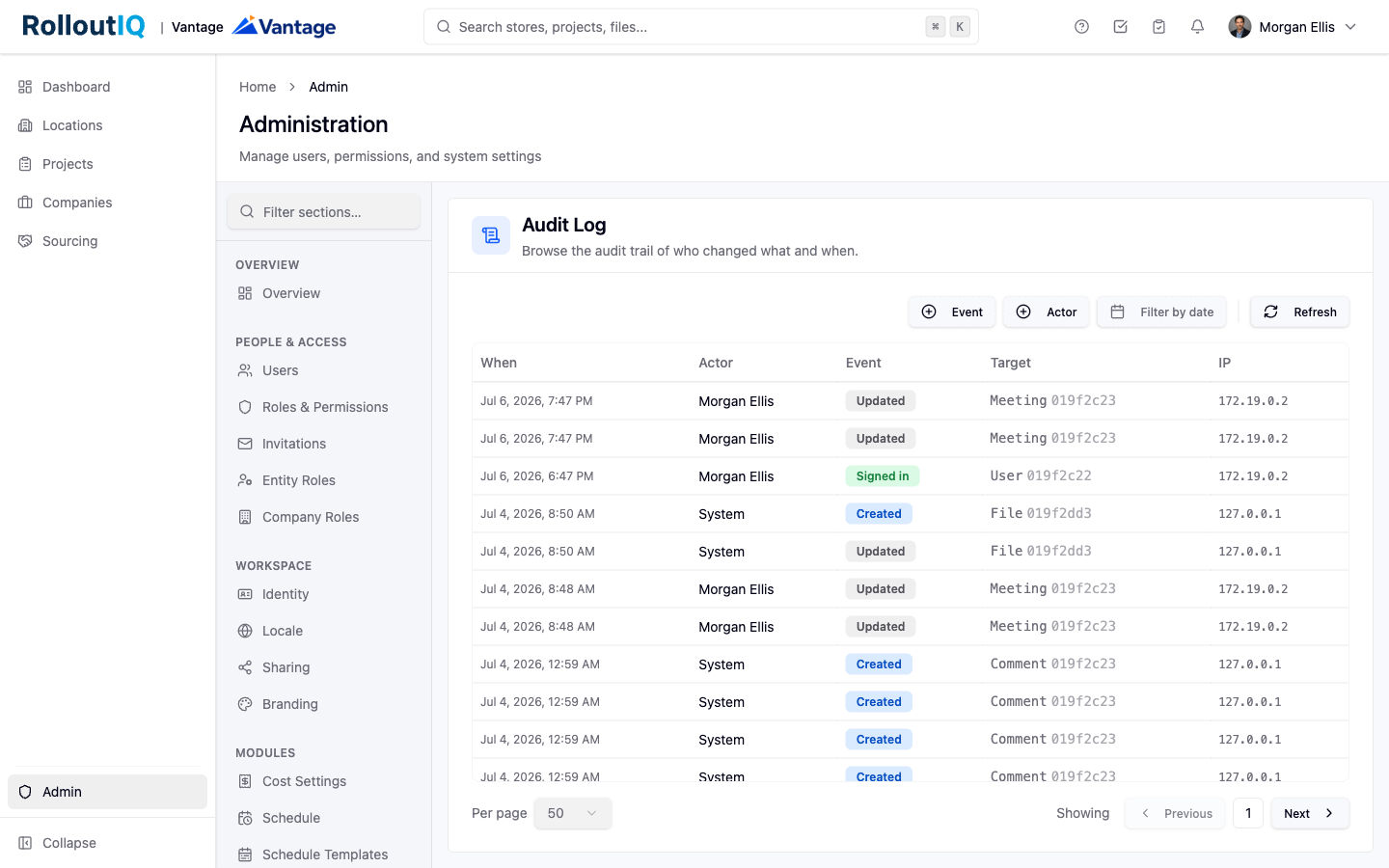
Each entry captures the actor with their name and email, the action, the affected record, and the timestamp, along with the IP address, the browser or device, and the request URL. Events include:
Created, Updated, Deleted, and Restored on covered records such as projects, locations, RFIs, tasks, files, role assignments, and reference values
Account events such as signed in, signed out, and password changed
For an update, the entry stores the before and after values of every changed field. Sensitive values such as passwords are excluded, so a password change shows that it happened without revealing the value.
Filter the list. Narrow by event type, by actor, or by a date range. Combine filters freely, and clear them when you are done.
Open an event. Select any row to open the detail view, which shows the actor, the timestamp, the IP address, the user agent, and the request URL.
Read the change. For updates, a side-by-side Before and After view shows exactly what changed and omits unchanged fields. Related events for the same record are listed so you can follow the chronology at a glance.
The audit log is read-only by design. Rows cannot be edited, hidden, redacted, or deleted from inside the product, so the trail cannot be tampered with. Even after a user is deactivated, their earlier entries still resolve to their original name and email, so the history stays readable.
The audit log is available to owners and administrators. The member role does not see it by default, though an administrator can grant access to a role that needs it. External company users, such as contractors and vendors, appear in the log under their own identity whenever they take an action, the same way internal staff do.
