RolloutIQ ships with the global ISO 4217 currency catalog built in. You turn on the handful of currencies your business actually operates in, name one as the base currency that the whole portfolio rolls up to, and maintain the exchange rates that convert between them. All of this lives in the admin area under Cost Settings, and managing it requires the relevant currency and exchange-rate admin permissions.
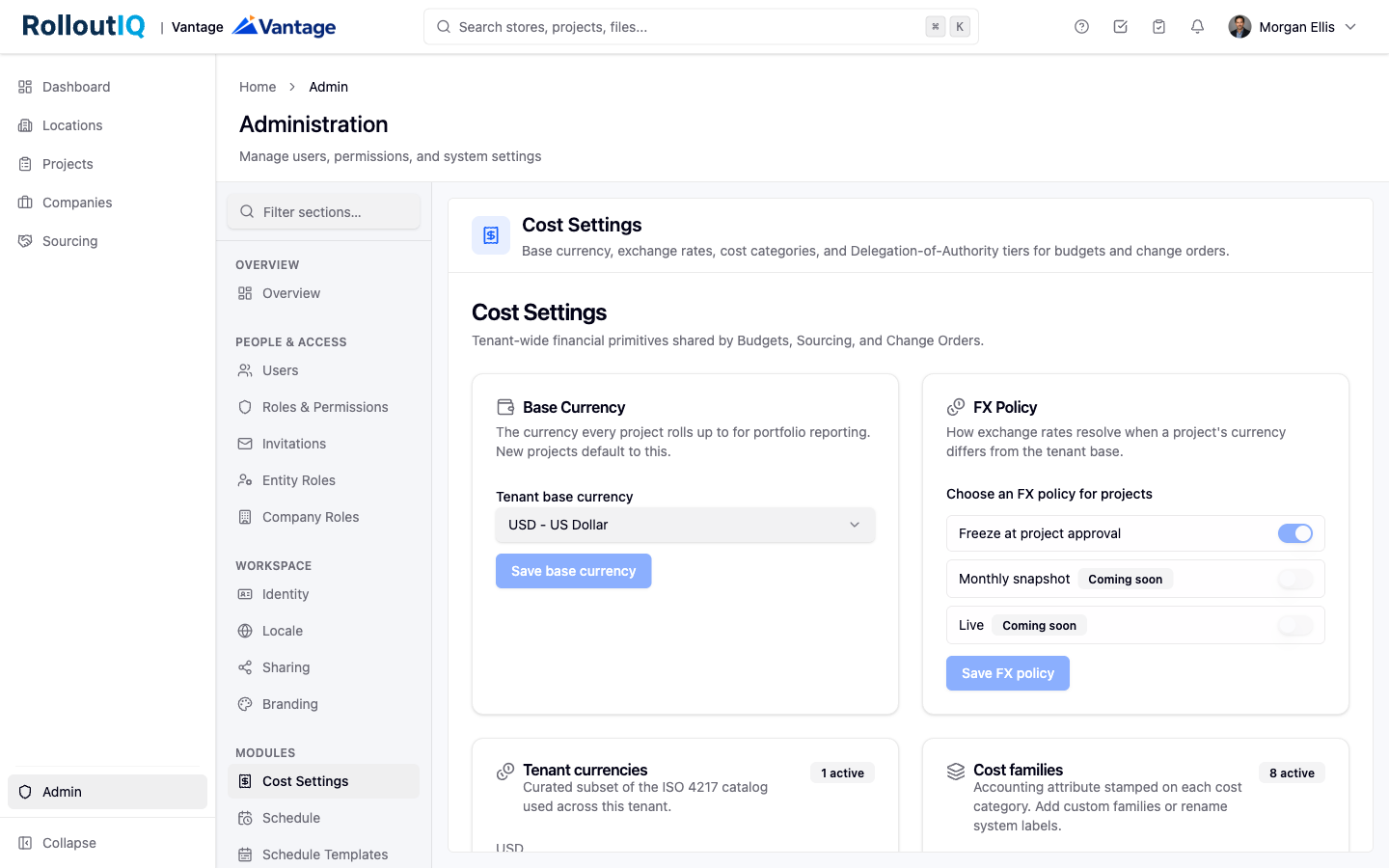
Open Tenant currencies. You see the global ISO 4217 catalog. Add the currencies your business uses. Each one you enable becomes available in project and exchange-rate pickers across the product.
Set the base currency. This is the single currency the whole portfolio reports in and the default for every new project. You cannot disable or remove a currency while it is set as the base; choose a different base first.
Adjust display. Optionally override a currency's display name or symbol to match your house style, and set the sort order so your most-used currencies appear first. Decimal precision follows the ISO standard for each currency automatically.
Add a rate. In the Exchange Rates editor, choose the source currency, the target currency, the rate, and the effective date. The rate applies from that date forward until you add a newer one for the same pair.
Correct a rate. Edit or remove a rate at any time. The currency pair on a rate is fixed once created, so to change currencies, remove the rate and add a new one.
Rates are entered by an admin rather than pulled from a live market feed, so your organization stays in control of the exact rate it commits to. A single stored rate covers conversion in both directions between a project's currency and the base, and effective-date resolution means the most recent rate on or before a given date is the one that applies.
The FX policy governs how rates apply to projects. The active option is Freeze at project approval: once a project's rate is frozen, RolloutIQ takes the most recent rate on or before that date and holds it on the project, so reported cost in the base currency stays stable for the life of the project even if you later edit the rate table.
Removing or editing a rate never changes amounts already locked onto approved projects, so cleaning up the table never disturbs history.
Conversion is direct only, between a project's currency and the base currency. Converting between two non-base currencies through an intermediate is not supported today.
The step that performs the freeze arrives with the budgeting tools. Until a project's rate is frozen, it does not yet carry a locked rate. Monthly snapshot and Live appear in the policy picker as upcoming options and are not yet functional.
