Change Orders captures every priced scope change on a project, from any vendor, and routes it through your approval chain to a tracked, auditable outcome. One workflow covers construction, architecture, fixtures, technology, signage, and equipment, so no slice of the change goes untracked. Each round is frozen as a permanent record, and an approved change order can open a matching budget revision automatically.
Change Orders is switched on per account by the RolloutIQ team and sits behind a feature flag, so it may not be enabled for every workspace. Change-order lines price against your cost categories, and each work stream needs its allowed categories configured before vendors submit.
Start a change order. Open a project's Change Orders tab and choose New change order.
Pick the work stream. The work stream (for example Construction or Signage) controls which cost categories you can price against.
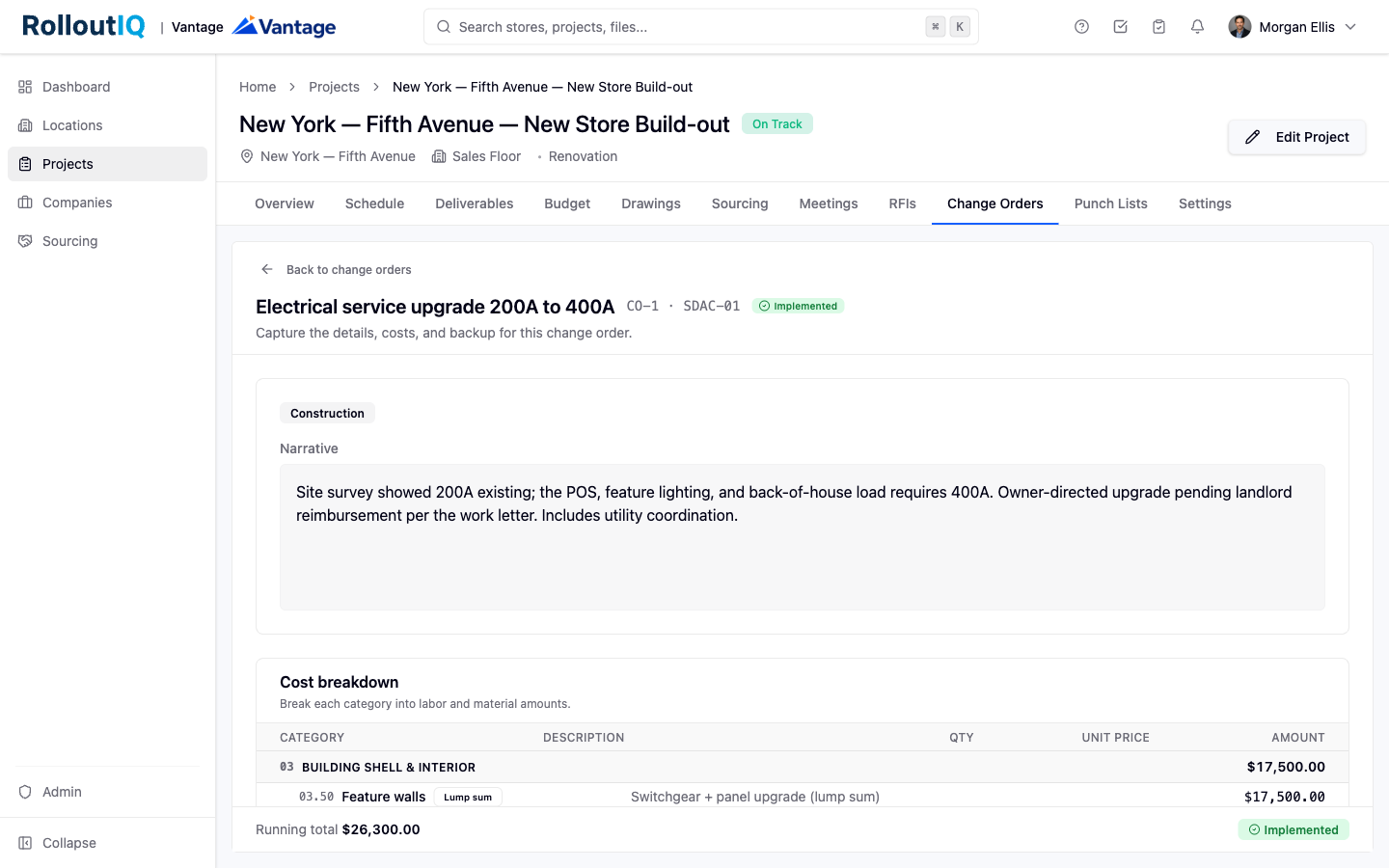
Enter the cost. On the full-screen cost form, add one line per cost category with labor and material amounts or a lump sum, plus an optional overhead and profit percentage and sales tax percentage.
Add backup and submit. Write a short narrative, attach backup files such as a quote or a marked-up drawing, save as a draft while you work, then submit for approval.
When work needs to start before the firm price is settled, a vendor can turn on Submit as a CCD (Construction Change Directive) while creating the change order and choose a basis: a rough order of magnitude (a ballpark) or a not-to-exceed ceiling (a firm cap). The retailer is notified and can Authorize to proceed on the ceiling or Request detail first. Once work is proceeding, the firm price is submitted later and reconciled against the ceiling, with any overage flagged.
Find work to act on on the project's Change Orders tab and in your cross-project inbox. Approvers sign in order through the chain and can approve, reject, or return the change order for revision, each with a decision note.
Record a reason. On the first approval, the approver records an internal reason code. This is for the retailer's records and is never shown to the vendor.
Watch the cost of change. The tab shows a cumulative-change badge tracking the running total of change on the project. Open any change order to see each submission round with its frozen breakdown and backup files.
Flow into the budget. When a change order is approved, a matching draft budget revision can open automatically, linked back to the change order. Mark it implemented once the work is done.
Every change order carries a project-wide number plus a private per-vendor number, so a vendor's list reads 1, 2, 3 without gaps and without exposing other vendors' activity. Submitted change orders route through an approval matrix, so a workspace needs at least one configured for change orders.
