Cost categories are the shared cost vocabulary of your workspace. Every cost tool in RolloutIQ (budgets, vendor pricing, change orders) reads from this one catalog, so setting it up correctly once is what lets numbers roll up and compare cleanly later. There are two parts: a cost-category tree that you shape however you think about work, and a cost-family axis that classifies each category for accounting. Both live in the admin area under Cost Settings.
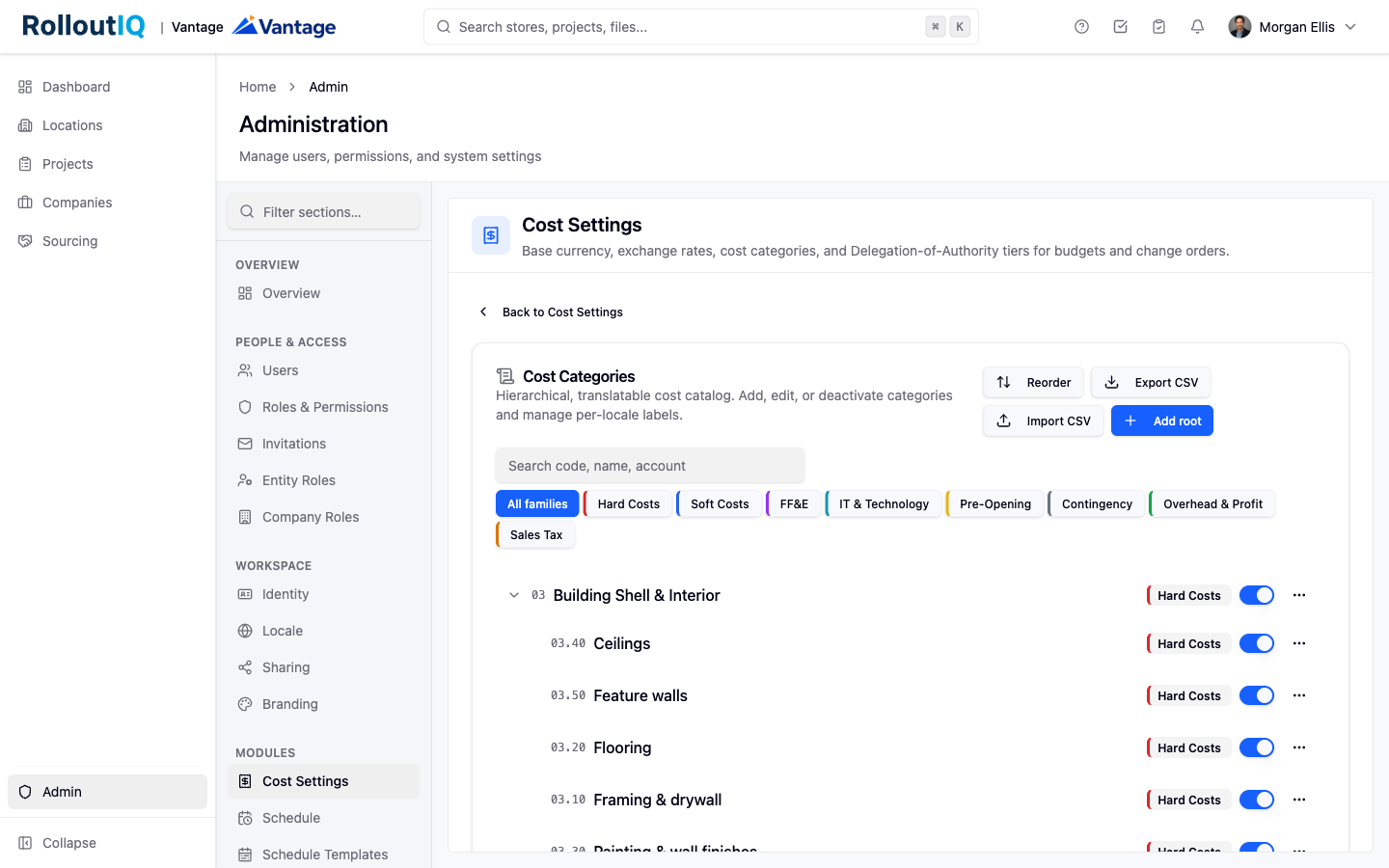
Cost categories form a hierarchical, three-level tree (a root grouping, buckets under it, then individual cost lines). Organize it by trade, by phase, by responsible party, or any mix that matches how your team budgets.
Cost families are a separate accounting attribute stamped on every category. RolloutIQ ships a standard set (such as Hard Costs, Soft Costs, FF&E, IT, Pre-Opening, Contingency, Overhead and Profit, and Sales tax), and you can add your own.
Open the Cost families card. You see the standard families, each with a color and a calculation behavior (a normal cost, a reserve drawn down as a pool, an Overhead and Profit markup, or a sales-tax percentage).
Add a custom family when the standard set does not cover something you need, and choose how it behaves.
Adjust display. Rename a family's label, recolor it, reorder the list, or deactivate one you do not use. On the standard families you can change the label, color, order, and active state; their underlying identity and core behavior stay locked so downstream tools keep working.
Add categories. Open the cost categories tree and add a root grouping, then buckets under it, then individual cost lines, up to three levels deep.
Set the details. For each category, set a code, assign a cost family, and set options such as whether it is capitalizable, a default contingency percentage, and an external account code for your accounting system.
Organize and translate. Drag rows to reorder them within their level, search across codes and names, and translate names and descriptions per language.
Import in bulk. For a large catalog, export to CSV, edit it, and import it back. The import runs a preview first so you can confirm before committing.
The tree is capped at three levels deep, and a category's code must be unique within its parent grouping.
System categories cannot be permanently deleted. You deactivate them instead, which hides them from new pickers while preserving any records already using them.
Get this foundation in place before building budgets or running sourcing, since both price against these categories. Managing the catalog requires the cost-category and cost-family admin permissions.
