Tasks are the to-do items that move project work forward. Each task attaches to the work it belongs to, such as a deliverable on the schedule, and every task you own or created rolls up to a personal list in the top navigation. That gives you one place to track everything you owe across every project.
Tasks live on the project work they support. The most common place to add them is on a deliverable.
Open a project and go to the Deliverables section.
Click a deliverable to open its detail, then find its Tasks section. Outstanding tasks show here; completed and cancelled ones are hidden until you click Show completed.
Type a title in the quick-add row, pick a due date such as Today or Tomorrow, and submit. The task is assigned to you by default.
You can change most of a task without opening its full detail.
Click the checkbox on a row to mark it complete. The title gets a strikethrough.
Click the status badge to change the status in place.
Click the due-date chip to pick a new date, with quick options like Today, Tomorrow, This Friday, and Next Monday.
For a description, a different assignee, or a priority, open the task and use the full form. Each task has one assignee at a time.
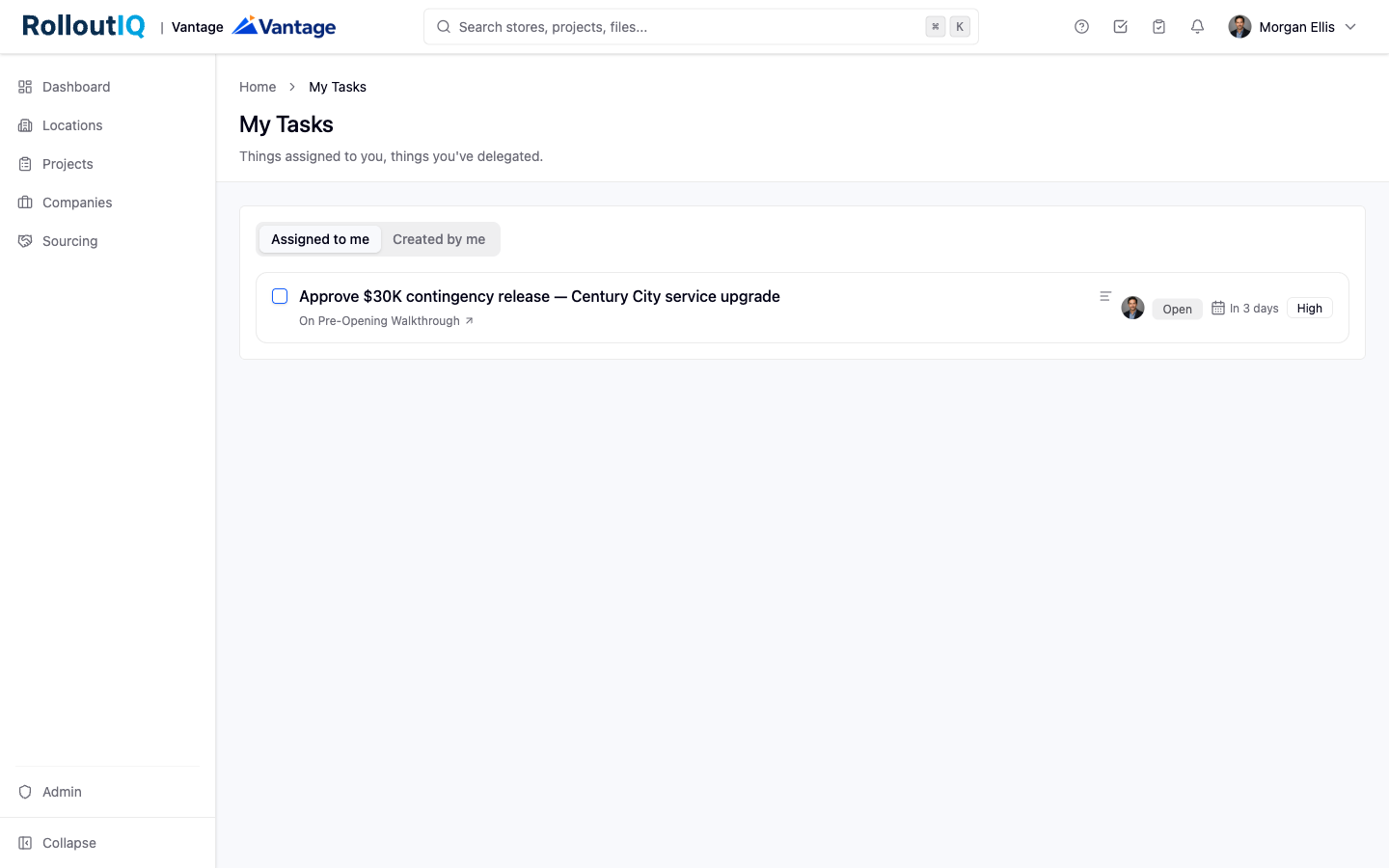
Your personal task list gathers everything you owe across every project into one place, so you do not have to open each project to find your commitments.
Open My Tasks from the top navigation. A badge on the button counts your tasks that are overdue plus those due today, so the number reflects what needs attention now.
The drawer has two tabs: Assigned to me and Created by me. Tasks are sorted by due date.
Click any task to expand its detail in the drawer, and use the back arrow to return to the list.
Click Manage tasks at the bottom of the drawer to open the full-page list for a broader review.
You get an in-app and email notification when a task is assigned to you, and the creator is notified when someone else completes a task.
A weekly digest summarizes your open, due-this-week, and overdue tasks.
Task access follows the parent project. You always keep access to tasks you created or were assigned, so you never lose the ability to close out work you committed to.
