An RFI (request for information) is a formal, written question-and-answer workflow built into every project. Use it to resolve gaps, conflicts, and ambiguities in writing, with a full audit trail, instead of chasing answers over email. Every RFI is auto-numbered within its project and tracked from open through to closed.
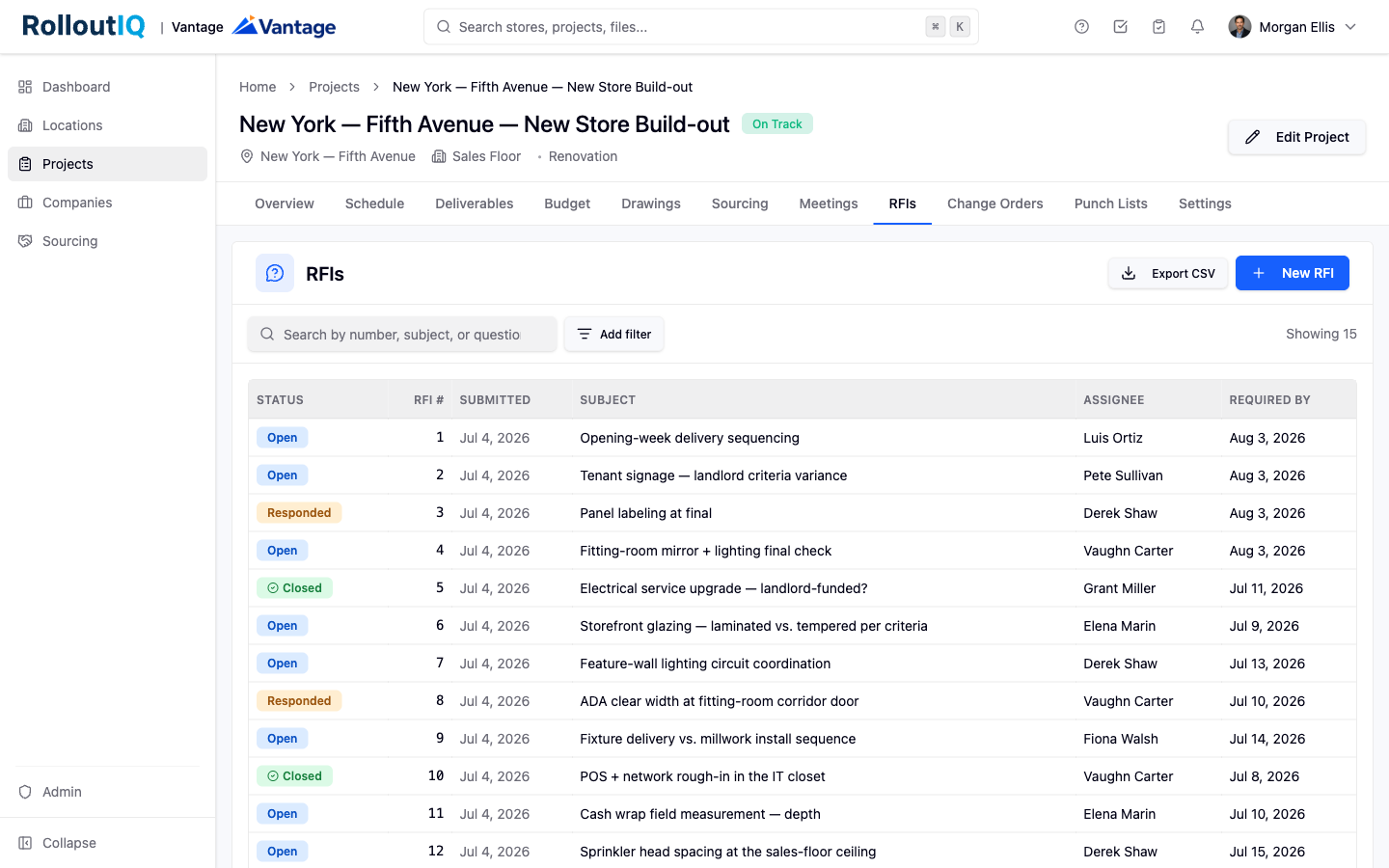
RFIs may not be enabled for every account. If you do not see the RFIs tab on a project, an administrator has not turned the module on for your workspace.
Open a project and switch to the RFIs tab, then click New RFI.
Write a Subject and the full Question. The question body is a rich-text field that supports formatting, lists, and links.
Set a Required by date so the assignee knows when an answer is expected. It defaults to a week from today.
Attach any drawings, photos, or PDFs that support the question, then click Create RFI. The RFI is auto-numbered and lands on the project list in an open state.
Classification and routing tell the right people to respond and let your team analyze RFIs across the portfolio later.
Category and reason: pick these so the right team picks the RFI up. A root cause can be added during triage. These labels are configurable per workspace.
Assignees: add one or more people who owe an answer. Assignees receive a notification right away.
Cc: add anyone who only needs to watch the RFI without owing an answer.
Routing flows through Assignees and Cc only. You cannot @-mention someone inside the question body, but you can @-mention teammates in the comment thread once the discussion is underway.
Open the RFI from the project tab, from your in-app notification, or from the email you received when you were assigned.
Read the question, review the attachments, and post your answer as a comment on the thread. You can attach supplemental drawings or photos to the comment.
When the requester is satisfied, they open the menu next to your comment and choose Mark as official answer. The comment is badged as the official answer and the RFI moves to a responded state.
Close: click Close RFI and confirm the comment that answers the question. Closing records the official answer, locks the comment thread, and moves the RFI to closed so the record cannot be edited after the fact.
Reopen: administrators can reopen a closed RFI. A typed reason of at least eight characters is required and is recorded in the audit log.
Export: apply any filters you want on the list, then click Export CSV to download one row per RFI you are allowed to see.
